

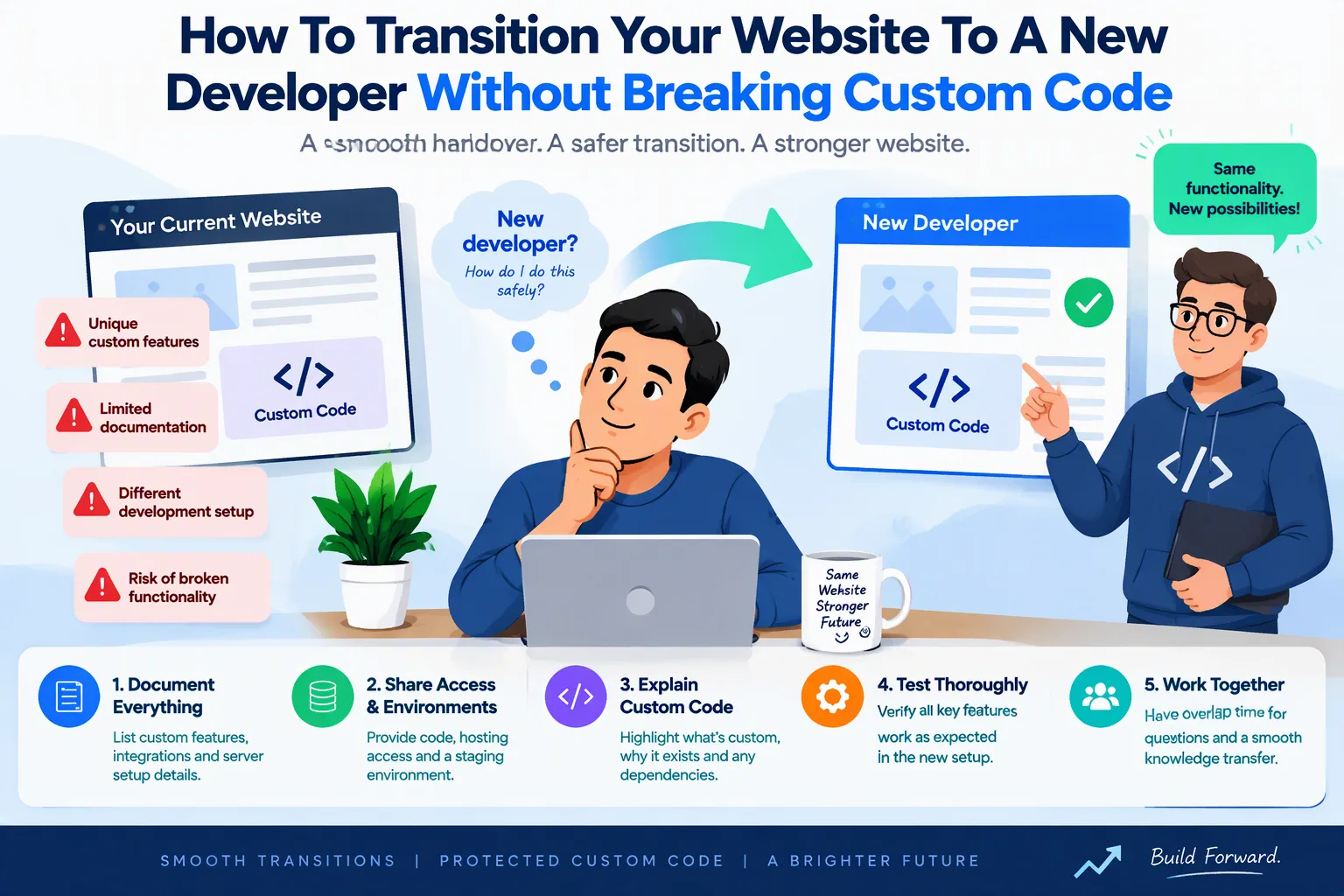
Handing a website to a new developer feels risky for good reason. Behind most business sites sits custom work that nobody fully documented: PHP functions added over the years, ACF fields that drive entire page layouts, and REST API connections to a CRM or booking system. Change hands carelessly and any of it can break, taking your rankings, your leads and your page speed with it.
The usual advice is to scrap everything and rebuild. That is rarely necessary, and it is expensive. In most cases, working custom code can be understood, documented and kept. What it needs is a structured transition rather than a rushed one.
This guide covers how to switch web developers safely: take inventory, document the custom architecture, work on staging first, and choose a partner who respects what already exists. Follow these four steps and your handover stays boring, which is exactly what you want.
Step 1: Complete an Asset and Access Inventory
Before the new developer writes a single line, list everything the site runs on and confirm who holds the keys. Do this while your outgoing developer is still cooperative, and do it politely. A clean handover depends on goodwill as much as credentials.
- Hosting and server access: Confirm the hosting account is in your name. Request SFTP or SSH credentials, and a cPanel or server panel login if one exists.
- Git repositories: If the custom theme or plugins are version controlled, ask for the repository to be transferred to your organisation account, or add the new developer as a collaborator.
- Staging environments: Find out whether one already exists and where it lives.
- WordPress admin: Create a separate administrator account for the new developer instead of sharing existing logins. This keeps activity traceable.
- Third-party services: Record every integration, including payment gateways, CRM, email marketing, analytics and DNS provider, along with the account owner of each.
Ask the outgoing developer to overlap for a short period. Even one call can save days of guesswork later.
Step 2: Document the Existing Custom Architecture
Custom code breaks during handovers when nobody knows it exists. Before changing anything, map it. This is where an experienced WordPress developer earns their fee.
- Custom post types and taxonomies: Identify what is registered, where (theme, plugin or snippet) and which templates depend on it.
- Advanced Custom Fields: Export the field groups, note whether they are stored in the database or in local JSON, and record which templates, blocks or REST endpoints read each field.
- Custom plugins and functions.php: Review every snippet. Some are harmless; others quietly power forms, redirects, schedules or checkout rules.
- API endpoints and integrations: List active custom REST routes, webhooks and outbound API calls, plus the keys and authentication they use.
- Scheduled tasks: Check cron jobs, since they are easy to overlook and break silently.
The output should be a short written document your team owns. If you ever change developers again, you will already have what you need.
Step 3: Establish a Staging-First Protocol
Editing a live WordPress site is how most handover disasters begin. A single syntax error in functions.php can take a production site offline in seconds, and a plugin update can overwrite custom behaviour you never knew depended on it.
Insist on a staging-first rule from day one:
- Clone the live site to a staging environment, including files and database, with email sending and payment gateways switched to test mode so nothing real fires.
- Take a verified backup of the live site before any work, and confirm that it restores.
- Make and test every change on staging, including forms, checkout, logins, API connections and key page templates.
- Measure performance before and after, so you can prove page speed did not regress.
- Deploy during a low-traffic window, with a rollback plan ready.
This protocol turns a risky leap into a series of small, reversible steps.
Step 4: Choose the Right Transition Partner
A handover specialist is not the same as a developer who prefers starting from scratch. When you interview candidates, look for the following:
- Code hygiene: Readable, well-organised PHP and JavaScript, sensible naming, version control and no edits made directly on the live server.
- Documentation habits: They should write things down as they go and leave you with more clarity than they found.
- Respect for legacy work: Ask how they would assess your existing code. A good answer starts with an audit. A weak answer starts with a quote for a rebuild.
- Lightweight over bloated: Someone comfortable with custom builds can often replace a heavy plugin with a few lines of clean code, which helps page speed.
- ACF and API fluency: They should be able to read your field structure and integrations without relearning the basics on your budget.
- Direct communication: You should deal with the person who actually touches the code.
How I Handle Seamless Handovers
I am Supratim Chatterjee, founder of Codecreate. I work in custom WordPress development, ACF architecture, API integrations and clean PHP and JavaScript, and I handle every handover personally. There is no account manager between you and the code.
This is how I run a transition:
- Access and inventory. I work with you and your outgoing developer to gather hosting, repository and admin access safely.
- Code audit. I review your custom post types, ACF groups, plugins, functions and API endpoints, then write up what exists and what carries risk.
- Staging setup. I build a safe clone and work there first, so your live site is never the test environment.
- Documentation. I hand over a plain-language record of your site’s custom architecture.
- Controlled deployment. I release changes carefully, aiming for no downtime, and I keep your existing custom work wherever it is sound instead of recommending a rebuild by default.
You can see examples of my work in my web development portfolio and my design portfolio.
Planning a Developer Switch?
Tell me about your site, who built it and what worries you most. I will give you a straight answer on what can be kept, what should be fixed and how to move across without disruption.
- Contact page: codecreate.net/contact
- Email: supratim@codecreate.net or supratim.dev.87@gmail.com
