

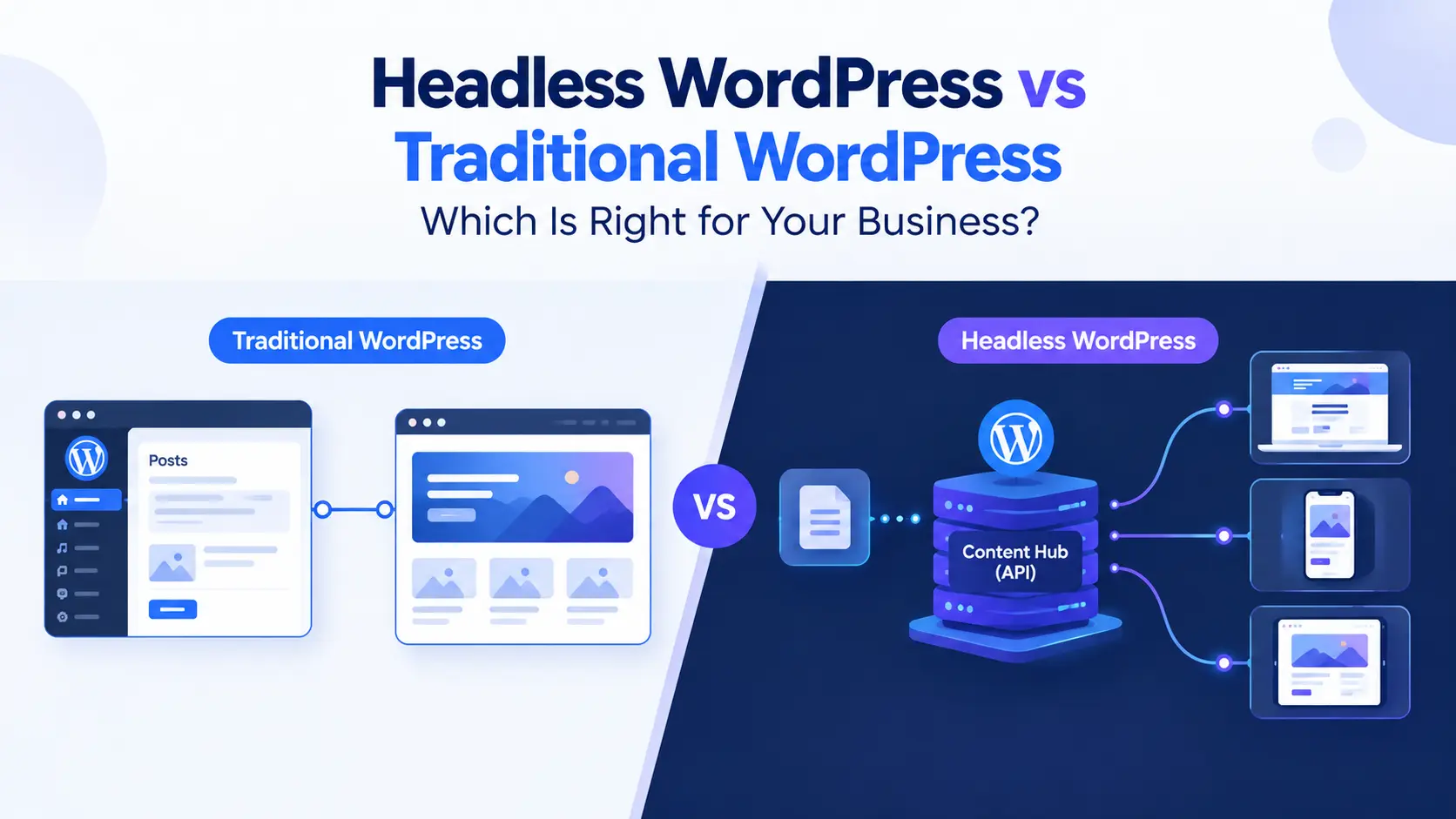
Headless WordPress uses WordPress only as a backend content manager and delivers content through an API to a separate front end, such as Next.js or Astro. Traditional (monolithic) WordPress handles both content management and page rendering in one system, using themes and PHP.
This guide to Headless WordPress vs Traditional WordPress compares both architectures on speed, security, flexibility, scalability, and cost. By the end, you’ll know which one fits your business website.
Key Takeaways
- Traditional WordPress is faster to launch, cheaper to maintain, and ideal for most business sites.
- Headless WordPress offers more front-end freedom and performance potential, at a higher build and maintenance cost.
- Both can be fast and secure when built well. The right choice depends on your team, budget, and goals.
- Choose headless when you need multi-channel content delivery or a custom front-end experience.
Headless WordPress vs Traditional WordPress: Quick Comparison
Here is a side-by-side view of how the two approaches compare. Details on each factor follow below.
| Factor | Traditional WordPress | Headless WordPress |
|---|---|---|
| Speed | Good with caching and optimization | Excellent potential with static or edge delivery |
| Security | Larger public attack surface | Smaller public surface, but more parts to secure |
| Flexibility | Theme and plugin driven | Full freedom over the front end |
| Scalability | Scales with good hosting and caching | Scales front end and back end independently |
| Maintenance cost | Lower | Higher |
What Is Traditional WordPress?
In a traditional setup, WordPress manages your content and also builds the pages visitors see. Themes control the design, and plugins add features like SEO, forms, and e-commerce.
Because everything lives in one system, editors get live previews and a familiar workflow. This is why most WordPress sites still use this model.
What Is Headless (Decoupled) WordPress?
In decoupled WordPress, the “head” (the front end) is separated from the “body” (the content backend). Editors still write in the WordPress dashboard, but a separate app pulls that content through an API and displays it.
That front end might be built with React, Next.js, Astro, or another framework. The same content can also feed mobile apps, kiosks, or other channels.
GraphQL vs REST API: How Headless Sites Get Content
The WordPress REST API is built into core and works out of the box. It is simple, widely supported, and easy to cache.
GraphQL, usually added with the WPGraphQL plugin, lets the front end request exactly the fields it needs in a single query. In the GraphQL vs REST API choice, GraphQL suits complex data needs, while REST suits simpler projects.
Decoupled CMS Benefits
- Front-end freedom: use modern frameworks and design systems without theme limits.
- Multi-channel publishing: reuse one content source across web, apps, and more.
- Performance options: serve pre-built pages from a CDN or the edge.
- Independent scaling: grow the content backend and the front end separately.
Head-to-Head: 5 Factors That Matter
1. Speed and Performance
Headless sites can reach excellent speed by pre-rendering pages and serving them from a CDN. This is the idea behind strong Jamstack WordPress performance.
That said, a well-optimized traditional site with good hosting, caching, and lean plugins can also be very fast. In the Headless WordPress vs Traditional WordPress comparison, headless has a higher performance ceiling, but poor implementation can erase the advantage.
2. Security
Headless setups can hide the WordPress admin and database from the public web, which reduces the exposed attack surface. Static front ends also have fewer moving parts to exploit.
However, you now have two systems to protect, plus API endpoints and any serverless functions. Traditional WordPress stays secure with regular updates, trusted plugins, and strong hosting.
3. Developer Flexibility
Headless gives developers full control over the front end and tooling. They can build custom interfaces without working around theme structure.
Traditional WordPress offers speed through themes, page builders, and a huge plugin ecosystem. Many plugins that affect the front end won’t work in a headless build without extra development.
4. Scalability
Headless lets you scale the front end and the content backend independently. Traffic spikes hit the CDN rather than your WordPress server.
Traditional WordPress can scale well too, using page caching, object caching, and quality hosting. For most business sites, this is enough.
5. Maintenance Costs
Headless usually costs more to build and maintain. You manage two codebases, a hosting setup for each, and features like previews, forms, and SEO tags that must be rebuilt on the front end.
Traditional WordPress is generally cheaper and easier to hand off to non-technical teams. It also has a larger pool of developers who can support it.
When to Choose Each Architecture
Choose Traditional WordPress If:
- You want to launch quickly on a manageable budget
- Your team relies on plugins, page builders, and live previews
- You run a standard business site, blog, or small online store
Choose Headless WordPress If:
- You need a highly custom front-end experience
- You publish content to multiple channels, such as web and mobile apps
- You have developer resources to build and maintain two systems
- Performance at large scale is a top business priority
How to Choose the Right Architecture for Your Business
There is no single winner in Headless WordPress vs Traditional WordPress. The best choice matches your goals, team, and budget. Work through these steps:
- Define your goals: list the performance, design, and channel needs that truly matter.
- Audit your plugins and workflows: note which features your team depends on every day.
- Assess your resources: confirm you have the budget and developers to support headless.
- Start small if unsure: optimize a traditional site first, or pilot headless on one section.
For many businesses, a well-built traditional site is the smart, cost-effective choice. When your needs outgrow it, a decoupled approach can be the next step.
Not Sure Which Architecture Fits Your Business?
Our web development team builds both high-performance traditional sites and custom headless solutions. Consult with our team today for custom WordPress and headless architecture solutions tailored to your goals and budget.
Get in touch now and let’s build the right foundation for your website.
