

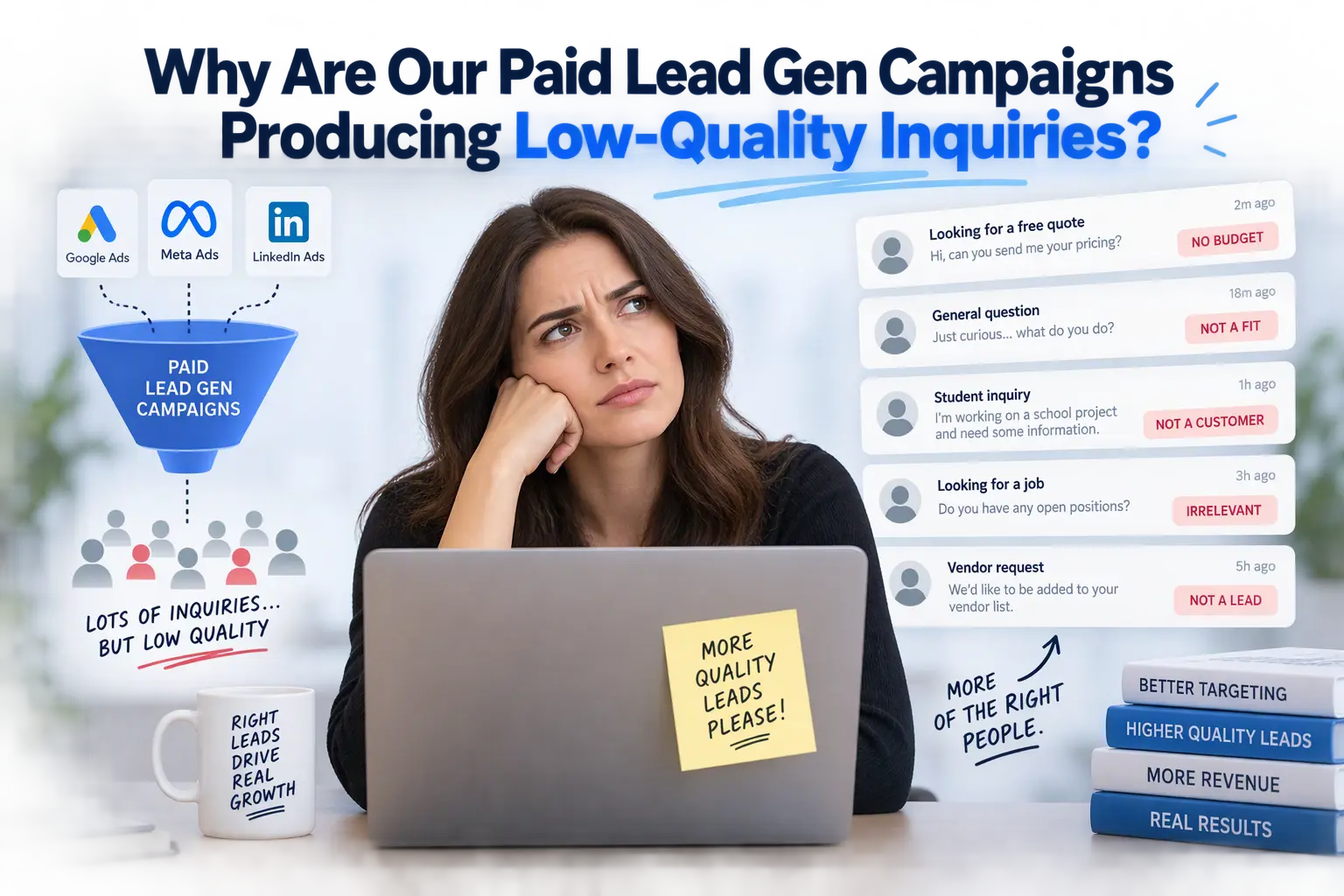
You are paying for clicks, the dashboard says leads are coming in, and yet your sales team is sorting through a pile of junk. Bot submissions with gibberish names. Tire-kickers who wanted a free quote for a project worth a tenth of your minimum. Inquiries from the wrong country, the wrong industry, or the wrong decade of buying intent.
I hear this from business owners, marketing directors, and agency executives constantly, and the first assumption is nearly always the same: “The ads must be broken.” Sometimes they are. But in my experience as a technical architect and growth specialist, the majority of low-quality lead capture problems start after the click, not before it. The ad platform is doing precisely what you told it to do. The trouble is what you told it.
In this article I walk through the four root causes I find most often during a lead generation audit, and then give you a blueprint you can start applying to your website this week.
Is It an Ad Problem or a Funnel Problem?
Before changing bids, audiences, or creative, I ask one question: what does the platform think a “good result” looks like?
Google Ads, Meta Ads, and LinkedIn Ads all run on optimization algorithms. They find more people who resemble the ones who completed your conversion action. If the conversion action is “submitted a form,” the algorithm learns to find form-fillers, including the impulsive, the curious, and the automated. It cannot know that the lead was worthless unless something tells it.
That is why a PPC funnel friction review has to cover four layers together: what the page filters, what the tracking reports, how the site performs technically, and whether the promise in the ad matches the page. A weakness in any one of them can quietly poison the whole system.
Root Cause 1: Weak Pre-Qualification on the Landing Page
Most landing pages are built to maximize the number of submissions. That is the wrong target. The right target is the number of qualified submissions per dollar, and sometimes that means deliberately making it harder for the wrong people to convert.
Vague pricing signals invite wrong-budget inquiries
If a visitor has no idea whether your service costs a few hundred dollars or tens of thousands, they will contact you either way. Hiding price entirely feels safe, but it pushes the qualification burden onto your sales team.
You do not need a full price list. You need a signal:
- A “projects typically start at” line that sets a floor
- Engagement-size language, such as “built for businesses with 10 to 200 employees”
- A short “who this is not for” note, which is surprisingly effective at repelling poor fits
Generic CTAs attract casual clicks
“Contact Us” and “Get a Free Quote” are the lowest-commitment buttons you can put on a page. They attract people who want to see what happens. Compare those with “Request a Technical Audit” or “Book a 30-Minute Scoping Call.” The second pair describes a specific next step, and people with a real need respond to specificity.
Friction-free forms invite spam and low intent
A form with just name and email is the easiest possible target for bots and casual browsers alike. I am not suggesting a twenty-field interrogation, since that will cut genuine conversions too. The sweet spot is a form with a few well-chosen qualifying questions:
- Budget range as a dropdown (including an honest lowest option)
- Timeline (“this month,” “this quarter,” “just researching”)
- Company size or type
- A short free-text field asking what problem they are trying to solve
Multi-step forms work particularly well here. The first step is easy, which keeps completion high, and the later steps do the filtering. Each answer also becomes data you can use for scoring and for tracking, which brings me to the next cause.
Root Cause 2: Pixel and Conversion Tracking Signals Are Misaligned
This is the cause that surprises people most, and it is the one with the largest long-term payoff.
Optimizing for form submits teaches the algorithm the wrong lesson
If your only conversion event is a thank-you page view or a form submission, then a spam bot and your best customer look identical to the ad platform. Both count as a win. The algorithm then spends your budget finding more of whatever generates cheap wins, and cheap wins are frequently the junk.
Feed the platforms qualified events instead
The fix is to send back a signal that reflects lead quality. In practice there is a ladder of options, from simplest to most powerful:
- Fire the primary conversion only for qualified submissions. For example, trigger it when the budget field is above your minimum, and treat everything else as a secondary, non-optimized event.
- Capture the click identifier (such as the Google click ID) in a hidden form field and store it with the lead record.
- Import CRM stage changes back into the ad platform. When a lead becomes “sales qualified” or “proposal sent,” upload that event as an offline conversion. Google Ads supports offline conversion imports, and Meta and LinkedIn offer conversion APIs for the same purpose.
- Use server-side event sending to make that data more reliable than browser pixels alone, which are increasingly affected by ad blockers and browser privacy features.
This is the step that turns your campaigns from “find me form-fillers” into “find me more people like my paying customers.” It takes setup work, and it requires your website, forms, and CRM to talk to each other properly. That is architecture, not ad management, which is exactly why it gets skipped.
Audit your conversion definitions
While you are in there, check for duplicate or inflated conversions. I regularly find accounts where a button click, a page view, and a form submit are all counted as conversions with equal weight. If your reported cost per lead looks suspiciously good, this is often why.
Root Cause 3: Technical and UX Friction
Technical problems create low-quality leads in two opposite ways. They scare off good prospects, and they let bad traffic straight through.
Slow mobile load times filter out the wrong people
Paid traffic is frequently mobile-heavy, and mobile visitors on mid-range phones and variable connections have little patience. When a landing page is slow, the impatient but genuinely interested visitors leave first, which can leave you with a higher share of the persistent, the automated, and the careless.
For landing page conversion optimization, I check Google’s Core Web Vitals targets on real mobile data:
- Largest Contentful Paint under 2.5 seconds
- Interaction to Next Paint under 200 milliseconds
- Cumulative Layout Shift under 0.1
On WordPress builds, the usual offenders are oversized hero images, heavy page-builder markup, too many plugins loading scripts on every page, and third-party tags stacked in the header.
Broken responsive forms quietly cost you the best leads
I have seen forms where the submit button sat under a sticky chat widget on small screens, dropdowns that were unusable on iOS, and fields that failed validation because of autofill formatting. Genuine prospects hit these walls and leave. Bots do not care, because they post directly to the form endpoint.
Test your form on real devices, with autofill on, in at least two browsers. If you only ever test on your desktop, you are measuring the wrong experience.
No bot protection means you are paying for fake leads
If your form has no defenses, some share of your “leads” are scripts. Layer your protection rather than relying on a single tool:
- Honeypot field: a hidden input that humans never fill and bots usually do
- Invisible challenge: reCAPTCHA v3, hCaptcha, or Cloudflare Turnstile, with the score checked on the server, not just in the browser
- Time-to-submit check: reject submissions completed in an implausibly short time
- Server-side validation: verify email format, block disposable email domains, and rate-limit repeated submissions from one IP
- Keep spam out of your conversion events: only fire ad conversions after the submission passes these checks
That last point matters most. Blocking spam in your inbox but still reporting it as a conversion to the ad platform leaves the core problem in place.
Root Cause 4: Disconnect Between Ad Copy and On-Page Expectation
Message match is the quietest leak in most funnels. A person searches with a specific intent, clicks an ad that speaks to it, and lands on a generic page that talks about everything you do.
High-value queries need purpose-built landing pages
Someone searching for something specific, such as “WooCommerce checkout optimization for subscription stores,” expects the page to talk about exactly that. A general “Web Development Services” page forces them to hunt, and the ones who convert anyway are often the least discerning.
The rule I apply: one intent cluster, one landing page. The headline should echo the query, the proof points should address that specific problem, and the CTA should continue the same conversation.
Check the search terms, not just the keywords
In Google Ads, the search terms report shows what people actually typed. Broad and phrase match types, and automated campaign types, can pull in queries that include words like “free,” “jobs,” “course,” “DIY,” or “cheap.” A disciplined negative keyword list is one of the fastest lead generation audit wins available, and it costs nothing to implement.
Match the promise to the offer
If your ad says “free consultation” and your page asks for a budget, the mismatch feels like a bait and switch. If your ad targets decision-makers but the page speaks to beginners, you will attract the wrong readers. Platform-specific details matter too. LinkedIn and Meta native lead forms prefill a visitor’s profile data, which makes submitting almost effortless, so lead volume goes up while quality often drops unless you add friction deliberately, for example with a review step or qualifying questions.
The Actionable Blueprint: What to Audit and Fix First
If I had a day to improve a struggling paid funnel, this is the order I would work in.
Step 1: Clean up the signal (Day 1)
- List every conversion action in each ad account and mark which ones are actually optimized for
- Remove duplicates and demote soft events (clicks, page views) to secondary
- Check that spam submissions cannot trigger conversion events
Step 2: Add bot defenses and basic validation (Day 1–2)
- Install a honeypot plus an invisible challenge, with server-side score checks
- Block disposable email domains and add rate limiting
- Store the click ID, UTM parameters, and landing page URL with every lead
Step 3: Add pre-qualification (Week 1)
- Add a budget range, timeline, and a short problem description to the form
- Add a pricing floor or engagement-size statement to the page
- Replace the generic CTA with a specific, outcome-based one
Step 4: Fix speed and mobile UX (Week 1–2)
- Measure real-user mobile performance, not just a desktop lab score
- Compress and properly size hero images, defer non-critical scripts, and prune plugins
- Test the form on real iOS and Android devices with autofill
Step 5: Rebuild message match (Week 2–3)
- Split ad groups by intent and send each to a dedicated page
- Review the search terms report weekly and expand the negative list
- Align ad promises with exactly what the page and form deliver
Step 6: Close the loop with your CRM (Week 3–4)
- Mark leads as qualified, unqualified, or won in your CRM
- Send those stage changes back to Google, Meta, or LinkedIn as offline or server-side conversions
- Let the algorithms optimize for revenue-relevant outcomes instead of raw volume
One caution: expect your reported lead volume to drop after these changes. That is usually a sign the filtering works. Judge success by cost per qualified lead and pipeline value, not by the raw count.
Frequently Asked Questions
Why are my Google Ads leads so low quality even with good keywords?
Good keywords only bring the right clicks. If the landing page does not pre-qualify, the tracking rewards any submission, and the form lacks bot protection, low-quality leads will still get through. The fix usually spans page design, tracking setup, and form security together.
Will adding more form fields reduce my conversions?
It will reduce raw conversions, and that is often the point. A few well-chosen qualifying fields typically lower volume while improving the share of leads worth a sales call. A multi-step form helps you keep the top of the funnel easy.
How do I stop fake form submissions without hurting real users?
Use invisible methods first: a honeypot, an invisible challenge verified on the server, a time-to-submit check, and server-side validation. These add almost no friction for people while stopping most automated submissions.
How long before I see better lead quality?
Bot filtering and form qualification show results within days. Conversion-signal changes need a learning period, so give the platforms a few weeks of qualified conversion data before judging the outcome.
Get a Technical Audit of Your Lead Capture Pipeline
If your paid campaigns are producing more noise than pipeline, the answer is rarely “spend more” or “switch platforms.” It is usually a handful of specific, fixable flaws spread across your landing page, forms, tracking, and site performance.
I offer a focused technical audit of your landing pages, lead capture pipeline, and conversion tracking, including custom WordPress and WooCommerce architecture where your site is the bottleneck. You receive a prioritized, written list of what is leaking budget and exactly how to fix it, whether you implement it yourself, with your agency, or with me.
Ready to find out where your ad spend is going wrong? Get in touch with me at CodeCreate to request your audit. You can also see examples of my work in the CodeCreate portfolio.
