

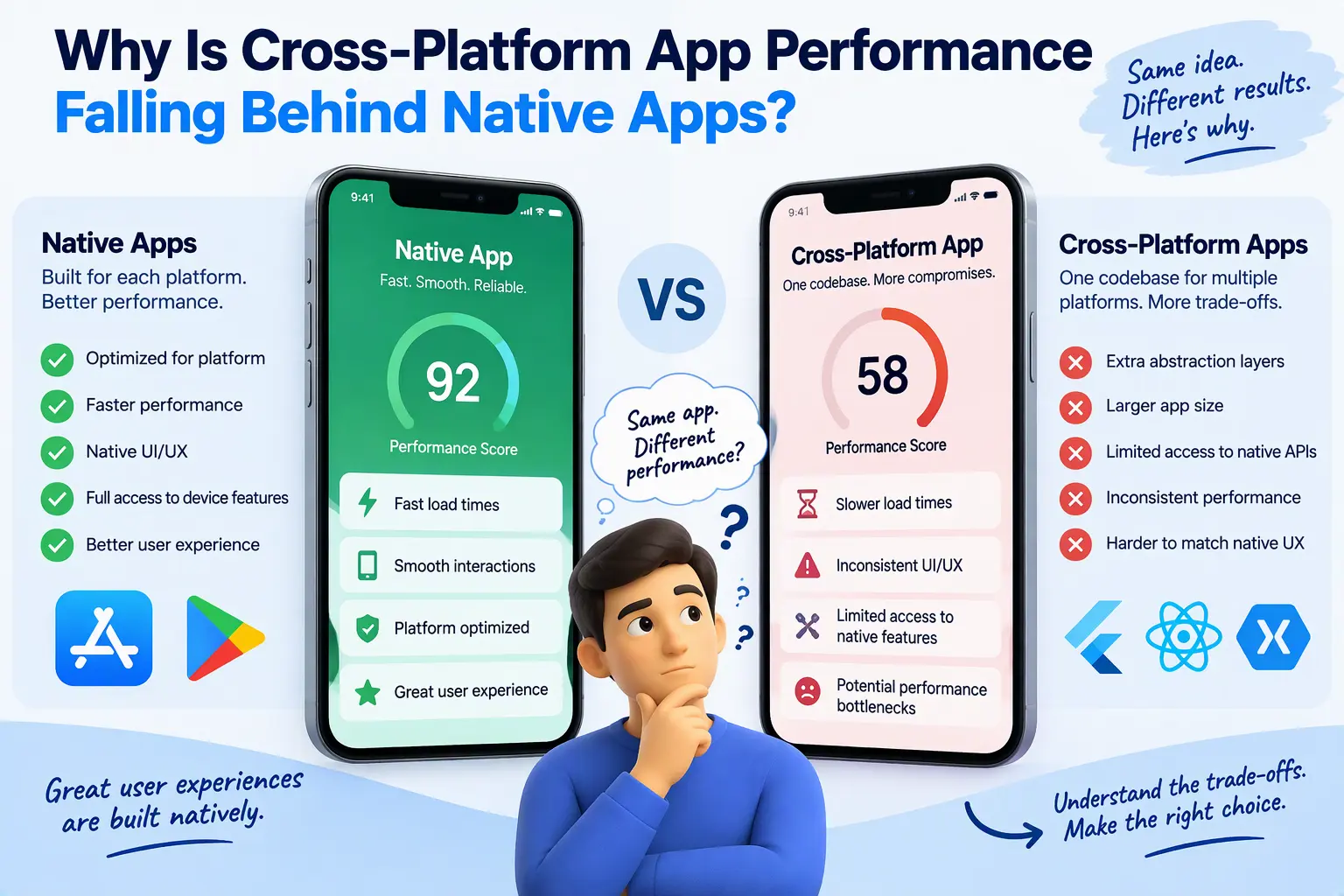
Every few months, a founder or product manager contacts me with the same story. The app launched on time, it shipped to iOS and Android from a single codebase, and the budget held. Then real users arrived. Scrolling stutters on mid-range Android phones. Animations drop frames. The camera feature takes a sprint longer than planned. Support tickets start using the word “laggy.”
The cause is rarely careless engineering. It is architecture. Cross-platform frameworks trade some performance for development speed, and that trade becomes visible at specific, predictable points. In this post I explain exactly where those points are, which ones modern frameworks have fixed, and how to decide whether your app needs optimization or a different architecture.
Is Cross-Platform App Performance Really Worse Than Native?
Short answer: yes, in specific scenarios, and the gap is narrower than it was five years ago.
React Native’s New Architecture and Flutter’s compiled rendering engine have closed much of the distance for typical screens: forms, lists, dashboards, and checkout flows. The gap that remains shows up under pressure: high-frequency interactions, heavy animation, large data sets, tight memory budgets, and brand-new OS capabilities.
Three structural causes explain most of it:
- Communication overhead between the framework’s runtime and the native platform.
- Memory overhead from extra runtime layers and a second garbage-collected environment.
- Dependency lag on third-party maintainers when the OS ships something new.
The rest of this article takes each in turn.
The Bridge and Serialization Bottleneck
How the legacy React Native bridge works
In React Native’s original architecture, your JavaScript runs on its own thread, separate from the native UI thread. The two sides cannot call each other directly. They communicate through an asynchronous bridge: messages are batched, serialized to JSON, passed across, deserialized, and then acted on by the other side.
That design has three consequences:
- Every crossing has a cost. Serialization and deserialization consume CPU time on both sides.
- Communication is asynchronous. JavaScript cannot ask the native side a question and get an immediate answer, so some interactions inevitably lag.
- Messages queue up. Under load, the bridge becomes a traffic jam.
Why the bridge causes dropped frames
A 60 Hz display gives your app roughly 16.7 milliseconds to produce each frame. On a 120 Hz display, that budget is about 8.3 milliseconds. If a gesture event has to travel from the native thread across the bridge to JavaScript, trigger a state update, and travel back as a layout instruction, there is very little room for error.
The symptoms are familiar:
- Scroll-linked animations that visibly trail the user’s finger
- Gesture handlers that feel a beat late
- Lists that flicker or show blank cells during fast scrolling
- UI that freezes briefly when JavaScript is busy with other work
These are classic mobile app bottlenecks, and they are architectural rather than a matter of code quality. You can optimize around them, but you cannot remove the bridge from inside the old architecture.
Does the New Architecture fix it?
Largely, but not completely. React Native’s New Architecture replaces the bridge with the JavaScript Interface (JSI), which lets JavaScript hold direct references to native objects and call them synchronously. Fabric, the new renderer, and TurboModules, which load native modules lazily, build on that foundation. It has been the default for new React Native projects for some time now.
The practical result is that most JSON serialization overhead disappears and synchronous native calls become possible. But two caveats matter for anyone evaluating an existing app:
- Migration is real work. Apps with many third-party native libraries must wait for, or contribute, compatible versions of each one.
- JavaScript is still JavaScript. Heavy computation on the JS thread can still block your interface, bridge or no bridge.
Flutter avoids this particular problem by not using a bridge to draw its UI at all. It compiles Dart ahead of time and renders every pixel through its own engine. The cost shows up elsewhere. When a Flutter app needs a native platform capability, it goes through platform channels, which are also asynchronous and serialize their messages. Flutter’s FFI offers a faster route to native C-compatible code, but it is more work to adopt.
Memory Footprint and Garbage Collection: The Hidden Cost of Abstraction
Extra layers mean extra memory
A native Swift or Kotlin app talks to the operating system directly. A cross-platform app carries additional machinery on top of that:
- React Native ships a JavaScript engine (Hermes in modern versions), a component tree on the JS side, a shadow tree used for layout, and the native view hierarchy that actually gets drawn.
- Flutter ships its own rendering engine and framework, and keeps its own widget, element, and render object trees.
Each layer holds objects in memory. A native screen needs its views. A cross-platform screen often needs a representation in the framework plus the platform’s view or render objects underneath.
Two memory managers instead of one
This is the part founders rarely hear about. Native platforms manage memory in well-understood ways:
- iOS (Swift) uses Automatic Reference Counting, which frees objects deterministically as soon as nothing references them. There is no tracing garbage collector pausing your app.
- Android (Kotlin) runs on the Android Runtime, whose collector is heavily tuned for the platform.
A cross-platform app adds a second memory manager on top. React Native’s JavaScript engine has its own garbage collector, and Dart in Flutter has its own as well. Both are good, and both have been engineered to minimize pauses. But two collectors competing for the same limited device memory is a different situation from one.
Why this matters on real devices
Your development phone is not your customer’s phone. On mid-range and older Android devices, memory is tight and the operating system aggressively kills background apps. A larger baseline footprint means:
- More frequent cold starts when users return to your app
- Higher risk of out-of-memory crashes during image-heavy or data-heavy screens
- Occasional collection pauses that surface as micro-stutters
If your audience skews toward budget Android devices, which is true across many markets, this overhead is a business problem, not a technical footnote.
Hardware Integration and Zero-Day OS Lag
The dependency chain behind every device feature
When Apple or Google ships a new capability, native developers can use it on day one through the official SDK. A cross-platform team has to wait for a chain of events:
- The framework team or a community maintainer writes a wrapper.
- The wrapper is tested across framework versions.
- Your app upgrades to a version that includes it.
If the library is maintained by one or two volunteers, that chain can take months, or never complete. I have audited apps where a critical plugin had been effectively abandoned, leaving the product pinned to an old framework version.
Where the lag hurts most
- Advanced camera pipelines: Custom capture, real-time frame processing, depth data, and on-device ML integration all want low-level access that wrappers expose only partially.
- Background execution and sensors: Continuous location, motion, and health data are governed by strict, frequently changing OS rules. Subtle behavior differences between versions are easy to get wrong through an abstraction.
- OS-level surfaces: Home screen widgets, Live Activities, and similar features are built with native UI frameworks. Even in a cross-platform app, you write those parts natively.
- Low-level device APIs: Bluetooth Low Energy edge cases, NFC, and hardware accessories regularly need native code to be reliable.
The pattern is consistent: the more your product’s value depends on the device itself, the more you end up writing native code anyway. At that point, you carry the cost of two approaches at once.
Native vs Cross-Platform Apps: When Each Approach Makes Sense
This is not a case against cross-platform development. I build with it, and I recommend it often. The skill lies in matching the approach to the product.
Where cross-platform still makes sense
- MVPs and early validation: One team, one codebase, faster iteration. Learning whether anyone wants the product matters more than squeezing out the last few milliseconds.
- E-commerce and marketplaces: Catalogs, carts, and checkout flows are mostly forms and lists, which modern frameworks handle well.
- Content feeds and media consumption: Standard scrolling, caching, and rendering patterns are well supported.
- Internal tools and business apps with straightforward screens and modest device integration.
Where cross-platform fails or struggles
- High-frequency interactions: Drawing tools, gesture-driven editors, real-time trading interfaces, and games.
- Animation-heavy products: Complex, interruptible, gesture-linked motion demands tight coupling with the platform’s rendering pipeline.
- Data-heavy enterprise workflows: Large local datasets, complex offline sync, and heavy background processing push against the single-threaded JS model or strain memory budgets.
- Hardware-centric products: Fitness, health, AR, advanced camera, audio processing, and connected devices.
- Apps targeting the newest OS features as a core part of their positioning.
Quick comparison
| Factor | Cross-platform (modern architecture) | Native (Swift / Kotlin) |
|---|---|---|
| Time to first release | Faster, one codebase | Slower, two codebases |
| Typical screen performance | Good | Excellent |
| Heavy animation and gestures | Needs careful tuning | Best-in-class |
| Memory footprint | Higher baseline | Lower baseline |
| New OS feature access | Depends on wrappers | Immediate |
| Long-term maintenance | Dependent on framework and plugins | Dependent on platform SDKs only |
| Team cost | Lower initially | Higher initially |
How to Diagnose Mobile App Bottlenecks Before You Rewrite Anything
Before anyone proposes a rewrite, I insist on measurement. Many apps I review have fixable problems that have nothing to do with the framework.
Profile on real, low-end devices. Use the platform profilers (Xcode Instruments and Android Studio Profiler) alongside framework tools such as React DevTools and Flutter DevTools. Look at frame times, memory growth, and JavaScript thread utilization.
Separate the causes. Common culprits include:
- Unnecessary re-renders and oversized component trees
- Expensive work running on the JS or UI thread that belongs in the background
- Unoptimized images and list virtualization problems
- Excessive native-module chatter inside loops
- Outdated framework versions still on the legacy architecture
Then choose the lightest fix that works. In order of increasing cost:
- Fix the application-level issues above.
- Migrate to the current architecture of your framework.
- Move only the hot paths (a camera view, a chart, a custom canvas) into native modules.
- Adopt a hybrid approach: native for performance-critical screens, cross-platform for the rest.
- Rewrite selectively or fully in Swift and Kotlin when the product’s core value depends on native performance.
Most apps land on step one, two, or three. A smaller number genuinely need four or five, and in those cases the sooner the decision is made, the cheaper it is.
Frequently Asked Questions
Is Flutter faster than React Native?
It depends on what you measure. Flutter’s compiled Dart and custom renderer give it predictable UI performance without a JavaScript bridge. React Native’s New Architecture narrows the gap considerably for standard screens. For both, native platform access still goes through an abstraction layer, so the hardware and OS-feature limits described above apply to each.
Are native apps always faster?
Not automatically. A poorly written native app can be slower than a well-tuned cross-platform one. Native gives you the ceiling and the direct access; you still have to build well to reach it.
Should I rewrite my cross-platform app as native?
Only after profiling shows that the bottleneck is architectural and that your product’s core experience depends on resolving it. Most performance problems have a cheaper fix. When a rewrite is justified, a phased migration usually beats a big-bang rewrite.
Is Your App Hitting a Performance Ceiling? Let’s Look at the Architecture
If your app is dropping frames, running out of memory on mid-range devices, or waiting on a plugin that may never be updated, you do not need a generic opinion. You need an evaluation of your actual codebase against your actual product goals.
I offer a technical architecture consultation where I review your app, profile the real bottlenecks, and give you a clear, written recommendation: optimize what you have, move specific modules to native code, or transition to a high-performance architecture. You leave with a prioritized plan, not a sales pitch.
If you are still planning your app, the same conversation can save you from an expensive mistake later by matching the technology to your product from day one.
Reach out directly or book your architecture consultation at CodeCreate. To see the kind of work I deliver, browse the CodeCreate portfolio.
