

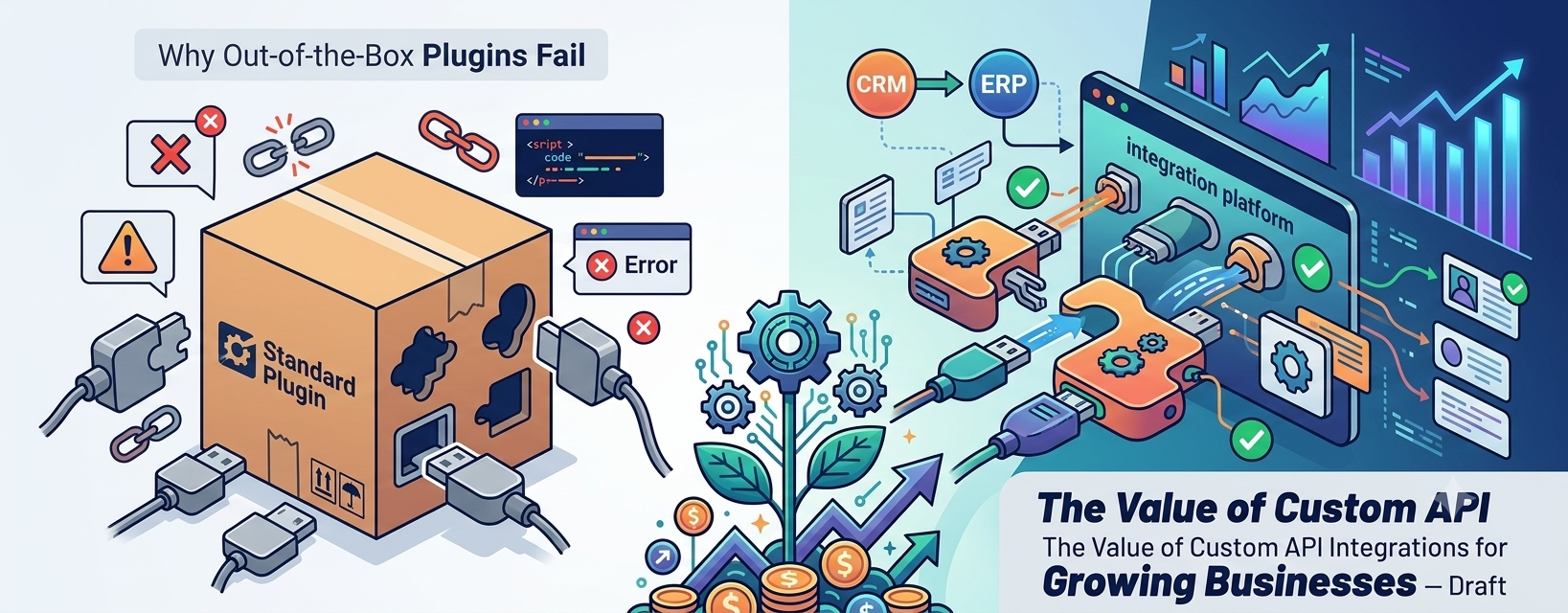
Out-of-the-box plugins fail growing businesses because they are built for the average use case, not yours. They add bloat, create data silos, and hit logic limits just as your lead volume rises. Custom API integrations connect your website, forms, CRM, and email tools into one automated sales pipeline that scales with you.
Most business websites are installed, not engineered. A theme, a stack of plugins, and a contact form get the site live, but nothing connects the moment a visitor raises their hand to the system that should act on it.
I see the same pattern repeatedly in custom WordPress development work. The website collects inquiries, but a person has to copy them into a CRM, write a reply, and remember to follow up. That is a process problem, and more plugins rarely fix it.
This guide explains where off-the-shelf tools break down, when they are still the right call, and how custom API automation turns a static site into a working lead generation website.
Key Takeaways
- Plugins are great for standard, low-stakes needs. They struggle with core revenue workflows.
- The common failure points are performance, conflicts, data silos, rigid logic, and hidden costs.
- A hybrid approach often works best: a proven form tool such as Gravity Forms, extended with custom integrations.
- Automation shortens response time, and fast follow-up is one of the strongest levers on conversion.
- Custom does not mean rebuilding everything. It means owning the logic that drives revenue.
Why Out-of-the-Box Plugins Fail Growing Businesses
Plugins solve problems quickly, which is why they are so popular. The trouble starts when a business outgrows the plugin’s assumptions.
Plugin Bloat and Performance Drag
Each plugin adds code, scripts, styles, and database queries, even on pages that never use its features. Stack enough of them and page speed suffers.
Slow pages hurt both search visibility and conversion. Visitors who wait are visitors who leave before they ever see a form.
Conflicts and Fragile Updates
Plugins written by different teams do not always work well together. An update to one can break another, often at the worst possible time.
The more your lead flow depends on a chain of unrelated plugins, the more fragile it becomes.
Data Silos
Many plugins store data in their own format, in their own place. Your form entries live in one system, your email list in another, and your CRM in a third.
Without integration, someone becomes the human bridge between them. That is slow, error-prone, and expensive.
Rigid Logic
Real sales processes have rules. Route by budget, region, service, or source, enrich a record, score a lead, or skip a step for existing customers.
A plugin that offers a fixed set of options cannot express your rules. You end up bending your process to fit the tool.
Security and Maintenance Exposure
Every plugin is code you do not control. Abandoned plugins, slow patching, and compromised updates are real risks across the WordPress ecosystem.
Fewer, better-chosen components, kept updated, reduce that exposure. I treat plugin selection as a security decision, not just a feature decision.
Hidden and Scaling Costs
Licenses, add-ons, and usage-based automation platforms can look cheap at low volume. As lead counts and workflow complexity grow, those costs can rise quickly.
Add the cost of manual work when the tool falls short, and the “cheap” option may not be cheap at all.
Out-of-the-Box Themes vs. Custom WordPress Architecture
The same logic applies to themes. Multipurpose themes are built to appeal to everyone, so they carry features most sites never use.
Speed and Clean Code
With custom development I ship only what your site needs. Less code means faster loads, better Core Web Vitals, and fewer conflicts.
Clean Blocks and Advanced Custom Fields
I use Advanced Custom Fields (ACF) and purpose-built blocks so editors can create service pages, case studies, and landing pages without breaking the design. Every page keeps consistent calls to action, proof points, and form placements.
Business Logic Belongs in a Plugin, Not the Theme
With custom WordPress theme and plugin development, I keep lead routing, API connections, and integrations in a purpose-built plugin. When you redesign the site later, your automation keeps working.
| Factor | Out-of-the-Box Theme | Custom WordPress Architecture |
|---|---|---|
| Performance | Carries unused features and scripts | Lean, built for your pages |
| Conversion paths | Generic layouts | Designed around your sales process |
| Content editing | Often page-builder dependent | Structured fields and clean blocks |
| Integrations | Plugin patchwork | Purpose-built, documented code |
| Scalability | Hits limits as needs grow | Extensible by design |
Frictionless Lead Capture: Why Intelligent Form Architecture Matters
Your form is where interest becomes revenue. Good website lead capture asks for the right information in the right order, and rejects bad data before it spreads.
Multi-Step Logic and Validation
Multi-step forms lower the effort of starting, which supports B2B conversion rate optimization (CRO). Conditional logic shows only the fields that apply.
A well-planned Gravity Forms integration adds validation rules so errors are caught before they reach your CRM. Note that Gravity Forms is itself a plugin. The point is not to avoid plugins, but to choose strong ones and extend them with custom code where your process demands it.
First-Party Data Capture Done Right
I add hidden fields that record traffic source, campaign, and landing page. That first-party data capture shows which marketing actually produces revenue, not just clicks.
I pair it with clear consent language so your data practices stay aligned with privacy regulations.
The Engine Room: How API Automation and Webhooks Eliminate Manual Data Entry
Capturing a lead is half the job. The other half is moving it, instantly and accurately, into the systems where your team works.
Webhooks and REST APIs, Explained Simply
A webhook sends data to another system the moment an event happens, such as a form submission. A REST API lets systems request or update data on demand. Together, REST API integrations make your site an active part of your stack instead of an isolated island.
What an Automated Sales Pipeline Looks Like
- A visitor completes a multi-step form on a fast, custom landing page.
- The submission is validated and tagged with its source data.
- A webhook or API call creates or updates the contact in your CRM.
- CRM workflow automation assigns an owner, creates a follow-up task, and applies a lead score.
- Your email platform, such as Brevo, sends a personalized confirmation and starts a nurture sequence.
- Your sales team gets an instant alert with full context.
No copying, pasting, or forgotten spreadsheets. The whole automated sales pipeline runs in seconds.
Built to Not Break
This is where custom integrations earn their keep. Plugins often fail silently. A production integration should not.
- Error handling and retries so a temporary API outage does not lose a lead
- Logging and alerts so failures are visible immediately
- Secure credential storage, with API keys kept out of code and public files
- Input validation and sanitization on every submission
- Verified, authenticated webhook endpoints to block fake requests
Plugin, No-Code Connector, or Custom Integration? How to Choose
I am not against plugins. For simple, standard needs they are often the right answer. The question is which tool fits the importance of the workflow.
| Factor | Off-the-Shelf Plugin | No-Code Connector | Custom API Integration |
|---|---|---|---|
| Setup speed | Fastest | Fast | Slower up front |
| Logic flexibility | Limited | Moderate | As flexible as you need |
| Error visibility | Varies | Basic | Designed in |
| Cost pattern | License fees | Often usage-based | Build cost plus maintenance |
| Control | Vendor-led | Vendor-led | You own the logic |
| Best for | Simple, standard needs | Prototypes, low volume | Core revenue workflows |
Signs You Have Outgrown Plugins
- Your team copies data between tools by hand
- Leads are routed or followed up inconsistently
- Updates regularly break something
- Automation costs climb with every new lead
- You cannot see where a lead failed in the chain
Closing the Speed-to-Lead Gap: Why Responding in Seconds Wins Deals
Leads cool quickly, and the research on this is some of the strongest in sales. In a Harvard Business Review audit of 2,241 US companies, only 37% replied to a web-generated test lead within an hour, 23% never replied, and the average response took 42 hours.
The same research stream found that firms contacting a lead within an hour were nearly seven times as likely to qualify it as those waiting even one more hour, and more than 60 times as likely as those waiting 24 hours or longer. A separate, older study found the odds of qualifying a lead were 21 times greater at five minutes than at thirty. That figure comes from a different dataset, so treat it as directional.
What Delay Costs: An Illustrative Calculation
These numbers are hypothetical, not benchmarks. Replace them with your own.
| Input | Manual Follow-Up (next day) | Automated Follow-Up (under 5 minutes) |
|---|---|---|
| Monthly leads | 200 | 200 |
| Qualification rate (assumed) | 8% | 24% |
| Qualified leads | 16 | 48 |
| Close rate (assumed) | 25% | 25% |
| Deals won | 4 | 12 |
| Average deal value (assumed) | $3,000 | $3,000 |
| Monthly revenue | $12,000 | $36,000 |
The formula is simple: leads × qualification rate × close rate × deal value. Same traffic, same ad spend, three times the revenue in this example.
How Automation Shrinks the Gap
I focus on reducing lead response time without adding headcount:
- Instant confirmation emails that set expectations and include next steps
- Booking links so qualified prospects can schedule immediately
- Instant sales alerts with full lead context
- After-hours coverage, since automation does not sleep
Your team still closes the deal. Automation makes sure they reach the lead while interest is high.
How I Approach a Custom Integration Project
- Map the current process. Trace a lead from first click to closed deal and mark every manual step.
- Identify the revenue-critical workflows. Start where delay and errors cost the most.
- Keep what works. Reuse strong tools and replace only the weak links.
- Build the integration layer. Use custom plugin code, webhooks, and API calls with proper error handling.
- Test with real scenarios. Include failures, duplicates, and edge cases.
- Monitor and improve. Track response time, drop-off, and error rates monthly.
Frequently Asked Questions
Why do out-of-the-box plugins fail growing businesses?
They are designed for general use, so they bring bloat, conflicts, data silos, and rigid logic. As volume and process complexity grow, those limits become costly.
Are custom API integrations worth the cost?
For core revenue workflows, often yes. They remove manual work, speed up follow-up, and give you control. For simple needs, a good plugin may be enough.
Can I keep Gravity Forms and still use custom integrations?
Yes. That hybrid approach is common. Gravity Forms handles the front-end experience, and custom code or webhooks handle routing, CRM sync, and email.
Will a custom integration work with my existing CRM?
Usually. Most modern CRMs and email platforms offer APIs or webhook support. I confirm compatibility during scoping.
Turn Your Website Into a Revenue Engine
A growing business needs systems that grow with it. Strong plugins have their place, but your lead flow deserves logic you control, visibility when something fails, and speed your competitors cannot match.
Ready to Build an Automated Digital Ecosystem?
If your website is collecting leads but your team is still moving data by hand, book a consultation or contact me today. I will review your current stack and map out the fastest path to a high-performing, automated web ecosystem.
