

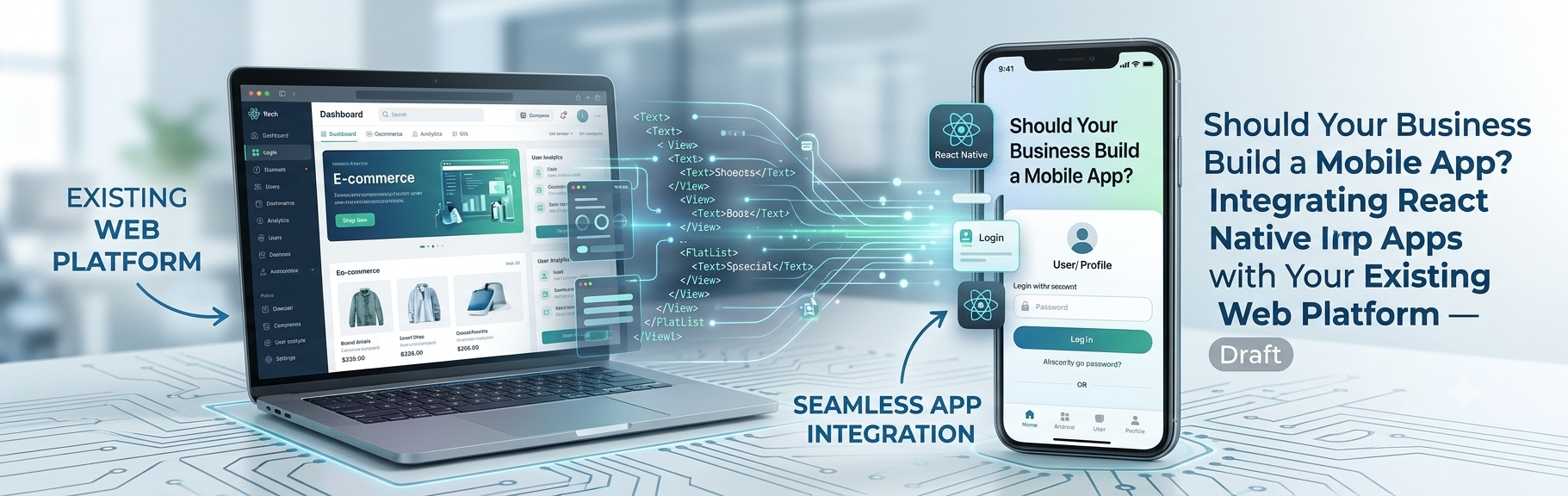
Your business should build a mobile app if your customers return often, need features a browser handles poorly (push notifications, offline access, camera, biometrics), and you can connect the app to your existing systems. React Native lets you build iOS and Android apps from one JavaScript or TypeScript codebase and connect them to your current website, CRM, and automations through APIs.
Most business apps fail for the same reason many websites do. They are built as isolated products, disconnected from the data, forms, and sales systems the business already runs.
I build the connections. As a developer who works daily with custom WordPress development, API automation, and CRM integrations, I treat an app as another front end to the same platform, not a separate project. This guide shows you how to decide whether you need one and how to integrate it properly.
Key Takeaways
- Build an app for frequent, feature-rich interactions, not just to have one.
- A mobile-optimized website or PWA is often the smarter first step.
- React Native shares code across iOS and Android and fits teams that already use JavaScript and React.
- The best architecture is one backend, many front ends, with your website and app using the same APIs.
- Feed app activity into the same automated sales pipeline as your website for faster follow-up and better data.
Should Your Business Build a Mobile App? An Honest Decision Framework
An app is a long-term commitment. It needs design, development, store approvals, updates, and support. Before you invest, test your idea against a few clear questions.
Build an App When:
- Users need to return frequently, such as for bookings, orders, accounts, or dashboards
- You need device features like push notifications, camera, location, biometrics, or offline mode
- You want to increase retention and loyalty through direct, owned communication
- Field staff, drivers, or technicians need a dedicated tool
- You already have data and APIs worth extending to mobile
Hold Off When:
- Users interact rarely, and mostly arrive through search
- Your goal is content discovery, where the web’s SEO advantage matters most
- Your website is not mobile-optimized yet, which is cheaper to fix and benefits everyone
- You have no plan for maintenance, updates, and support
Apple’s App Store has historically rejected apps that are little more than a repackaged website. An app needs to offer real value beyond what your site already does. Check the current review guidelines before you plan.
Your Real Options Compared
| Option | Best For | Trade-Offs |
|---|---|---|
| Responsive website | Content, SEO, lead capture | No app-store presence, limited device access |
| Progressive web app (PWA) | Light app-like experience from the web | Fewer device features, less discoverable than store apps |
| React Native | Cross-platform apps with native feel from one codebase | Occasional platform-specific work, dependency upgrades |
| Fully native (Swift / Kotlin) | Performance-critical or platform-specific apps | Two codebases, higher cost |
Why React Native for Business Apps?
React Native lets developers build mobile interfaces with React and JavaScript or TypeScript, rendering real native components. For many businesses, that combination of speed and quality is the sweet spot.
Business Benefits
- One codebase for iOS and Android: less duplicated work and a more consistent product
- Shared skills with your web team: React knowledge carries over
- Faster iteration: tooling such as Expo speeds up development and testing
- Native look and feel: users get an experience that fits each platform
- Easier maintenance: one team can update both apps
Honest Trade-Offs
- Highly graphics-intensive apps may need native work
- Some features require native modules and platform-specific code
- Libraries and the framework itself need regular upgrades
- App-store review and compliance still apply
For most business apps, such as customer portals, booking tools, loyalty programs, and internal tools, React Native is a strong fit.
Integrating React Native With Your Existing Web Platform
This is where most projects succeed or fail. The app should plug into your platform, not duplicate it.
One Backend, Many Front Ends
The cleanest architecture puts your data and business logic in one place. Your website and your mobile app are two clients that talk to the same APIs.
That means a customer’s profile, orders, and form submissions stay consistent across both. It also means a fix or new rule applies everywhere at once.
WordPress as an App Backend
WordPress is more capable here than people expect. Through REST API integrations, it can serve content and data to a React Native app. Many teams also use WPGraphQL when they want more flexible queries.
With custom WordPress theme and plugin development, I add purpose-built endpoints in a custom plugin. They expose exactly the data your app needs, with proper permissions, and nothing more. Because the logic lives in a plugin, a future redesign of your website will not break the app.
Authentication and Security
Apps change your security model. A few rules I follow:
- Use HTTPS everywhere and short-lived tokens or a proper OAuth flow
- Never store secrets in the app. Anyone can inspect an app bundle, so keep API keys on the server
- Apply least-privilege permissions to every endpoint
- Validate and sanitize all input on the server, as you would with a web form
- Add rate limiting and monitoring to catch abuse early
Turn App and Web Activity Into One Automated Sales Pipeline
An app is also a lead and data source. If it sits outside your sales systems, you lose that value.
Website Lead Capture and the App Share the Same Pipeline
Your website remains your main discovery engine, so a strong lead generation website still matters. The app captures and nurtures people who have already shown interest.
I design both to feed a single automated sales pipeline. A contact request from the app follows the same path as one from your site.
Gravity Forms Integration and Webhooks
For forms, I use a Gravity Forms integration so submissions, whether from the website or sent from the app through its API, flow into one structured system. Conditional logic and validation keep the data clean.
From there, webhooks send each submission to your CRM and other tools instantly. The result is better website lead capture and fewer manual steps.
A typical flow looks like this:
- A user submits an inquiry from the website or the app.
- The submission is validated and tagged with its source (web, iOS, Android).
- A webhook or API call creates or updates the contact in your CRM.
- CRM workflow automation assigns an owner and creates a follow-up task.
- An email platform such as Brevo sends a confirmation and starts a nurture sequence.
- Your team is alerted with full context.
First-Party Data Capture Across Channels
Tagging every record with its source gives you true first-party data capture. You can see whether app users convert differently from web visitors and which campaigns drive installs and sales.
Always pair this with clear consent and privacy practices, especially for location, notifications, and tracking.
Reducing Lead Response Time
Speed still wins deals. Automation is how I work on reducing lead response time: instant confirmations, instant alerts to your team, and booking links in the first reply. The same rules apply whether the lead came from a browser or a phone.
Push Notifications and Lifecycle Messaging
Push notifications let you reach users directly, but they must be relevant. Use behavior and CRM data to send helpful, timely messages, such as order updates or appointment reminders, rather than generic broadcasts.
Conversion Optimization for B2B Apps
Good B2B conversion rate optimization (CRO) applies inside the app too. Keep onboarding short, ask only for what you need, and measure drop-off at each step.
Cost, Timeline, and ROI: What to Plan For
I avoid quoting generic prices because scope drives cost. What matters most is the number of features, integrations, user roles, and platforms.
Plan for ongoing costs too:
- Developer accounts and app-store fees
- Maintenance, OS updates, and dependency upgrades
- Hosting, monitoring, and support
- Analytics and marketing to drive installs
A Simple Break-Even Framework
These numbers are hypothetical, not benchmarks. Use your own.
| Input | Example |
|---|---|
| Total first-year cost (build, maintenance, and fees) | $60,000 |
| Active app users | 1,500 |
| Added annual value per user (retention, upsell, efficiency) | $60 |
| Annual added value | $90,000 |
| Simple first-year result | $30,000 above cost |
The formula is: active users × added value per user − total cost. If you can’t estimate the added value, you are not ready to build yet. Research your users first.
A Practical Roadmap From Idea to Launch
- Define the goal. Pick one measurable outcome, such as bookings, retention, or support deflection.
- Audit your platform. Review your APIs, data, authentication, and forms.
- Design the API layer. Add or extend endpoints in a custom plugin or service.
- Build a focused MVP. Launch with the features that prove value.
- Connect your automations. Wire forms, webhooks, CRM, and email before launch.
- Test thoroughly. Check devices, networks, accessibility, and security.
- Submit to the stores. Follow current review guidelines closely.
- Measure and iterate. Use real usage data to guide the next release.
Common Mistakes to Avoid
- Building an app because competitors have one, with no clear goal
- Duplicating logic instead of sharing one backend
- Wrapping your website and calling it an app
- Skipping CRM and automation integration
- Forgetting ongoing maintenance and updates
- Ignoring security and privacy until late in the project
Frequently Asked Questions
Should my business build a mobile app or a website?
Most businesses need a strong website first. Add an app when users return often or need device features that a browser handles poorly.
Is React Native good for business apps?
Yes, for most customer portals, booking tools, loyalty apps, and internal tools. It offers one codebase for iOS and Android, though very graphics-heavy apps may need native work.
Can a React Native app work with my existing WordPress website?
Yes. WordPress can act as a backend through its REST API or custom endpoints, so the app and website share data, accounts, and forms.
How do app leads get into my CRM?
Through the same automation as website leads. A form or API call sends the data via webhook to your CRM, which then triggers your follow-up workflow.
Build the App Your Platform Is Ready For
A mobile app should extend your business, not complicate it. When it shares your backend, forms, and automations, it becomes another channel feeding the same revenue engine.
Deciding on a Mobile App?
If you’re deciding whether an app makes sense, or you want to connect one to your existing web platform, book a consultation or contact me today. I’ll review your current setup and map out the most practical path, whether that is a better website, a PWA, or a full React Native app.
